
Template
Sid's Receipts: a spending tracker for Google Sheets
Quick answer
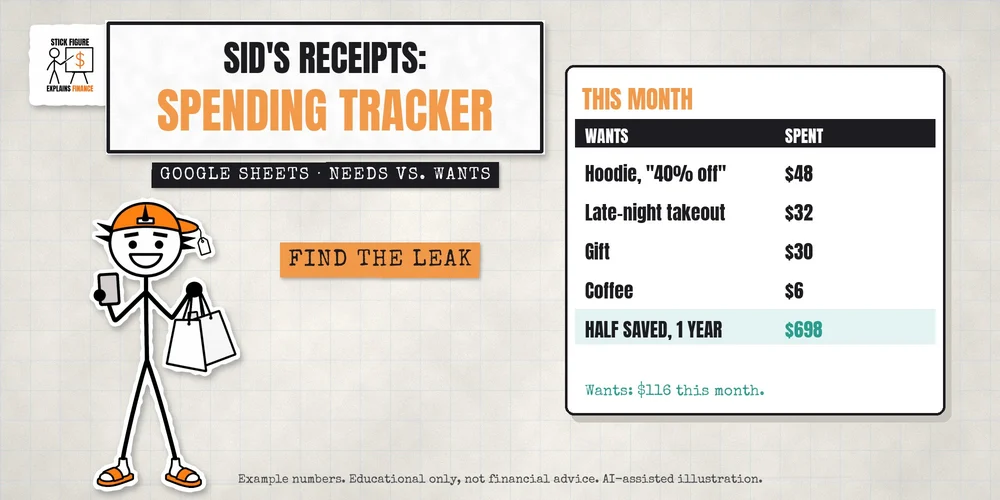
Sid's Receipts is a Google Sheets spending tracker. Log a spend in seconds, and it sorts it into 13 categories you can rename, splits needs from wants, shows what's left in each budget this month and flags your biggest money leak. A year view shows every month side by side. $5, yours to keep.
Translated "A budget says where money should go. Receipts say where it went."


What's inside
- Receipts tab: date, amount, category and a note
- 13 ready-made categories with your own budgets
- This Month: spent vs. budget per category, what's left, and a spending chart
- Needs vs. wants split
- Sid's Leak: your biggest repeat spend, flagged
- Year View: every month side by side
- Start Here guide with a filled-in example
$5
Get Sid's ReceiptsWant all three sheets? Nia's Money Kit bundles the Payday Setup, the Debt Snowball and Sid's Receipts for $22 instead of $29.
7-day promise: if the sheet doesn't work for you, reply to your receipt email within 7 days and we'll fix it or refund you.
Delivered as a make-a-copy link to your own Google Drive. Educational tool only; not financial advice.
How to use it: watch Nia set it up (about a minute)
Nia sets up Sid's Receipts on screen in a real copy of the sheet, step by step. Watch the walkthrough
Read the walkthrough instead
Nia: Hi, it's Nia. Let's set up Sid's Receipts. Logging a spend takes about 10 seconds.
Nia: First, make it yours. Open the link in your email, or go to File, then Make a copy.
Nia: Start on the Categories tab. Rename any category, and set a monthly budget for each one.
Nia: Then, every time you spend, add a row on Receipts: the date, what it was, the category, and the amount.
Nia: Watch. Sid just bought sneakers: $85, shopping. The sheet counts it as a want, automatically.
Nia: Open This Month. Each category shows the budget, what you spent, and what's left. Shopping just went over, so it turns red.
Nia: Below that: needs versus wants, and Sid's Leak. That's your biggest want category this month, and what you'd save by halving your wants.
Nia: And Year View shows every month side by side, so you can spot the patterns.
Nia: That's it. Log it when you spend it, and check This Month every payday. Questions? Just reply to your receipt email.
Made with AI-assisted animation and voice. Example numbers are made up. Educational only, not financial advice.
Who it's for, and who can skip it
- For you if money disappears and you're not sure where, or you made a budget and want to see if you're sticking to it.
- Skip it if you already track every spend in an app or bank tool you actually use.
Pairs well with
Found your leaks? Nia's Payday Setup ($12) gives that money a job every payday. Paying off debt? Nia's Debt Snowball ($12) shows how much sooner the extra gets you out. Just starting? The free budget template is a good first step.
Questions people ask
What does a spending tracker do?
It records what you actually spend, sorts it into categories and shows how that compares with your budget, so you can see where the money really goes.
How long does it take to log a spend?
A few seconds: date, amount, category and an optional note. The sheet does the sorting and totals.
What is Sid's Leak?
The box that flags your biggest repeat spend each month: the small, regular purchases that add up without you noticing.
Do I need Excel?
No. It's a Google Sheet. You need a free Google account to make your own copy, and it works in the Google Sheets app on your phone.
Does it connect to my bank?
No, on purpose. Nothing links to your accounts; your numbers stay in your own copy.